Welcome to Fit Check
Documentation for setting up and managing Fit Check on Shopify.
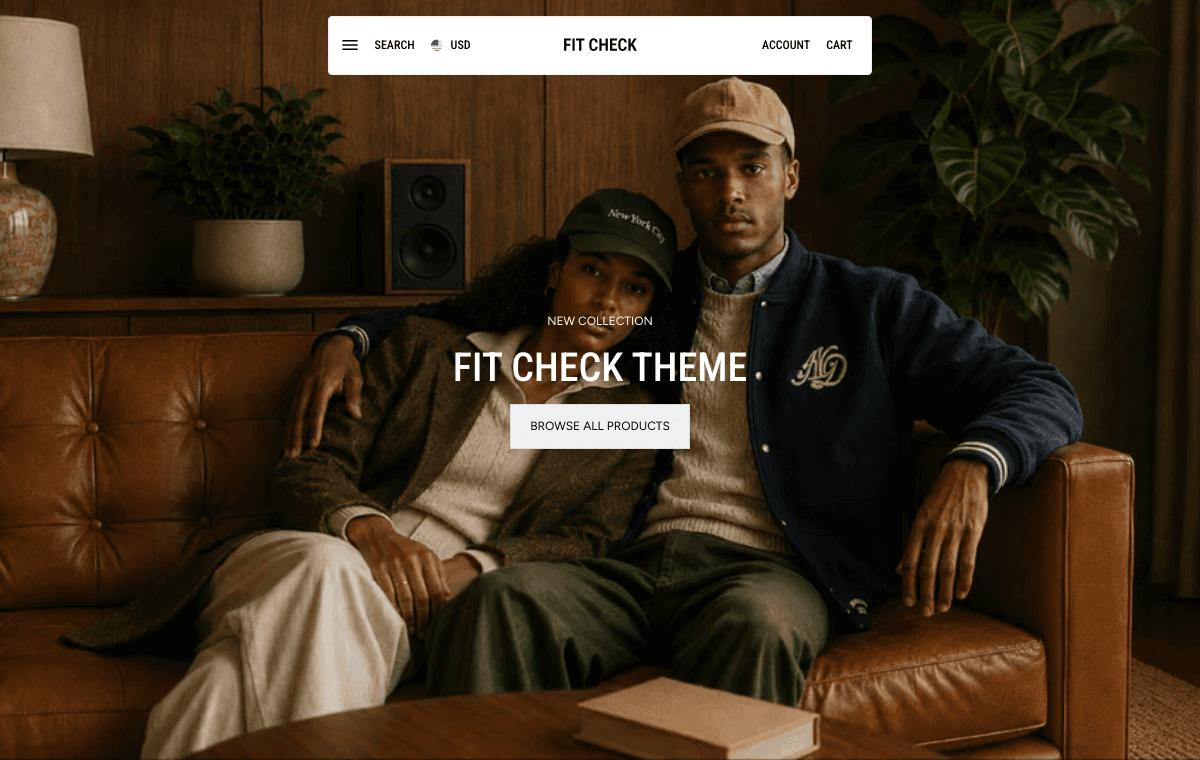
Fit Check is a Shopify theme for modern apparel and lifestyle storefronts. These docs focus on practical setup, theme-editor settings, templates, sections, product content, search, cart, and support guides.
Fit Check is published in the Shopify Theme Store . The current published version is 1.7.0. Start with Installation, or see Latest Updates for release changes.
Start Here
- Add Fit Check to a draft themeChoose a preset on the official Shopify Theme Store listing, then customize your draft theme before publishing.
- Set brand defaultsConfigure logos, colors, typography, buttons, inputs, cart, search, drawers, and swatches before adjusting individual sections.
- Configure templatesReview the product, collection, search, cart, blog, article, page, password, contact, and gift-card templates.
- Build visual shopping flowsUse product-link media, Featured product, Fit Check Explorer, carousels, and recommendations to connect editorial content with products.
- Preview and publishCheck desktop and mobile previews, test search, quick add, cart, checkout buttons, forms, and app blocks before publishing.
Guides
Start from merchant tasks such as product pages, size guides, swatches, search, recommendations, cart, and custom templates.
Setup checklistFollow the recommended order for configuring Fit Check before launch.
Theme editor basicsLearn the editor areas merchants use most often.
Theme settingsConfigure store-wide brand, interaction, search, cart, and swatch defaults.
Product templateReview product media, variants, size guides, buy buttons, and quick add.
Search and filtersConfigure search page mode, predictive search, filters, sorting, product cards, and mobile results.
Block referencesConfigure product, product-card, container, background media, card, text, image, video, button, form, accordion, tab, and product-link blocks.
Image and video product linksTag products on media and keep product cards readable.
Featured productAdd a focused product purchase section to any page.
Cart and checkout handoffReview cart page, cart drawer, discounts, notes, accelerated checkout, and empty-cart states.
How to Use These Docs
Use the left navigation to move by task area. Start with setup, then use the section and template references when you are configuring a specific page in the theme editor.
Install Fit Check, learn the theme editor, and follow the launch checklist.
GuidesMove from a merchant goal to the right template, section, block, setting, and publish check.
Theme SettingsConfigure global colors, typography, image sizing, search, cart, buttons, inputs, and swatches before tuning individual sections.
SectionsFind setup notes for content, commerce, header, footer, product-link, search, recommendation, and promotional sections.
BlocksConfigure high-value blocks used inside product forms, product cards, content groups, forms, accordions, tabs, and shoppable media.
TemplatesReview product, collection, search, cart, blog, article, page, contact, password, and gift-card template behavior.
ReferenceFind the product data, metafields, media requirements, card blocks, and filter inputs that support Fit Check setup.
FAQ & TroubleshootingResolve common setup questions before contacting support.
Contact SupportSend theme, store, route, screenshot, and reproduction details when you need help.
Why Fit Check
- Build visual shopping flows — Turn fit checks, lookbooks, product photography, and video into shoppable sections that connect inspiration with product discovery.
- Configure without custom code — Use Shopify’s Online Store 2.0 theme editor to adjust colors, typography, layouts, blocks, templates, and app placements.
- Keep commerce flows predictable — Product, search, recommendation, cart, and checkout-adjacent surfaces are documented so merchants can review setup before publishing changes.
Key Features
- 30+ documented content and commerce sections — Hero banners, cards, carousels, hotspots, before/after sliders, countdown timers, FAQ, recommendations, product grids, and more
- Interactive island header — A modern floating header with smooth transitions, search, cart, and account access built in
- Product-link sections — Signature shoppable grid, carousel, video, and explorer layouts that turn product imagery into social-style shopping experiences
- Versatile product page — Choose from 1, 2, or 3-column media layouts with overlay containers for a tailored product presentation
- Full product experience — Media gallery, variant swatches, selling plan picker, quick add, size guides, local pickup, and accelerated checkout
- Search page — A configurable search template with Search mode for conversational discovery and Search grid mode for traditional filtered product results
- Search grid mode — A traditional searchable product grid with filters, sorting, product-card blocks, and configurable mobile layout
- Cart drawer and discount support — Keep customers shopping with AJAX cart updates, drawer mode, notes, discounts, installment messaging, and checkout controls
- Color palette system — Set the global palette and tune direct background, text, border, button, input, drawer, modal, pill, and variant colors
- 5 typography slots — Configure heading, subheading, body, display, and alternative fonts independently
- JSON-LD structured data — Product, article, FAQ, and breadcrumb schemas for SEO
- OS 2.0 throughout — JSON templates, section groups, and app blocks for header and footer
- Mobile-first responsive — Every section adapts to mobile, tablet, and desktop screens
Getting Started
New to Fit Check? Start with the Installation guide and learn Theme Editor Basics.
Explore the official preset listings: Fit Check , Relic , and Destill . They are starting designs within the Fit Check theme.
Need Help?
Check the FAQ & Troubleshooting page or contact support.