Three Cards Media
A flexible section that renders three side-by-side content cards, each with an image, heading, and description. Built with nested container blocks for full layout control.
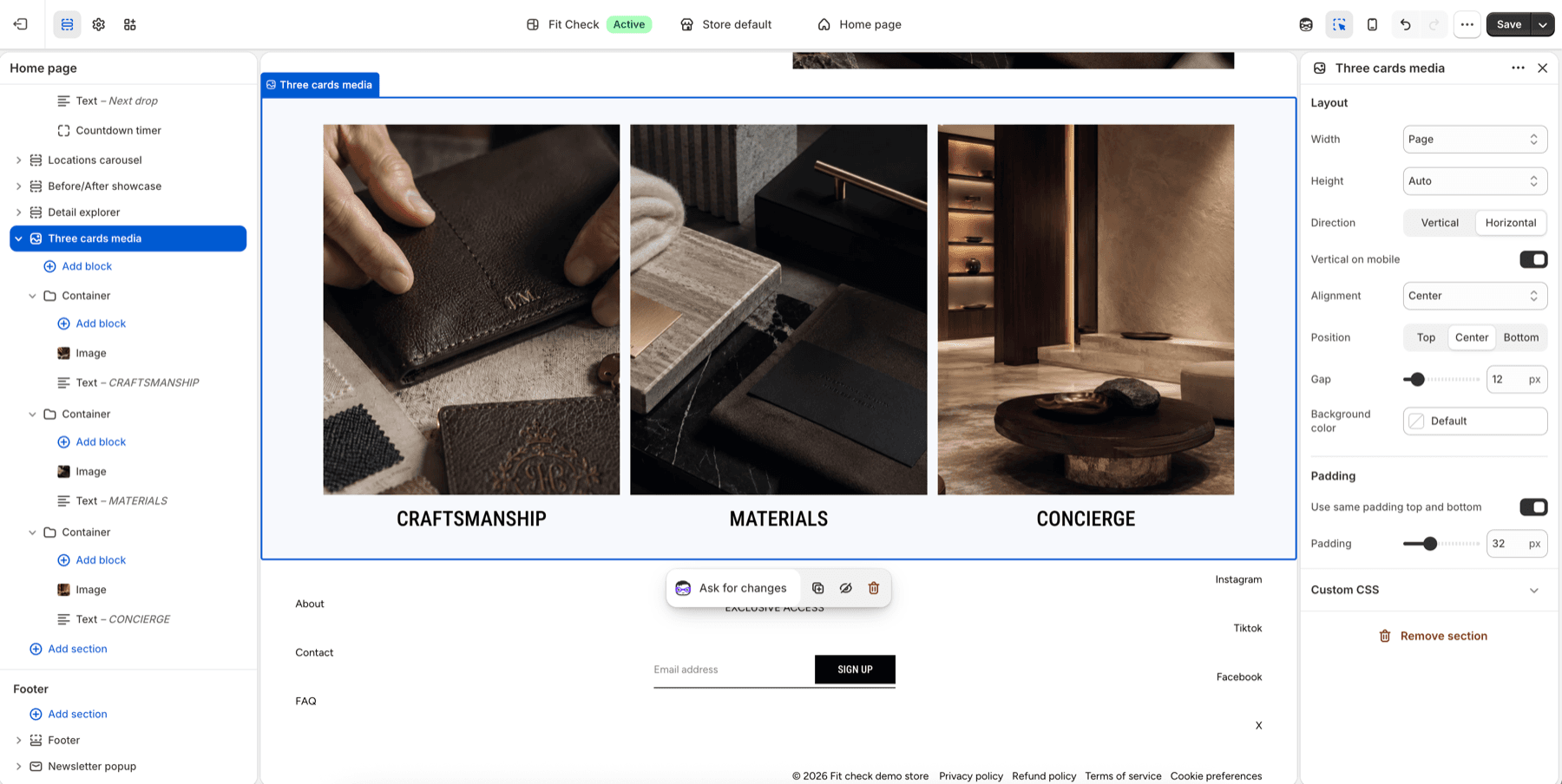
Configure the Section
- In the theme editor, click Add section.
- Select Three cards media from the General category.
- Each card is a Container block containing Image, Text, and other child blocks.
Section Settings
Layout
| Setting | Description |
|---|---|
| Width | Page width, Full width, or Custom (60–100%). Default: Page width. |
| Height | Auto, Full screen, or Custom (small/medium/large/custom input). Default: Auto. |
| Direction | Horizontal (side by side) or Vertical (stacked). Default: Horizontal. |
| Stack on mobile | Collapse horizontal layout to vertical on mobile. Default: On. |
| Alignment | Horizontal alignment — Left, Center, Right, or Space between. Default: Center. |
| Position | Vertical alignment — Top, Center, or Bottom. Default: Center. |
| Gap | Spacing between cards. Range: 0–100px. Default: 12px. |
| Background color | Optional section background color. Leave Default to use the theme surface. |
| Padding | Use one all-sides value or set top, bottom, left, and right independently. Range: 0–100px. Default: 32px unified; 0px left/right in split mode. |
Block Types
This section accepts any theme block (@theme) and app blocks (@app), making it highly flexible. The default preset uses three Container blocks, each containing:
- Image — A media block for the card visual.
- Text — Heading and supporting text.
You can also add Button, Custom Liquid, or any other available block inside each container.
Responsive Behavior
When direction is horizontal and “Stack on mobile” is enabled, the cards stack vertically on screens narrower than 750px.