Search Settings
The Search Theme settings group controls how customers open search, which resources appear in Fit Check’s search experience, search drawer text, and global quick-add defaults for search result product cards.
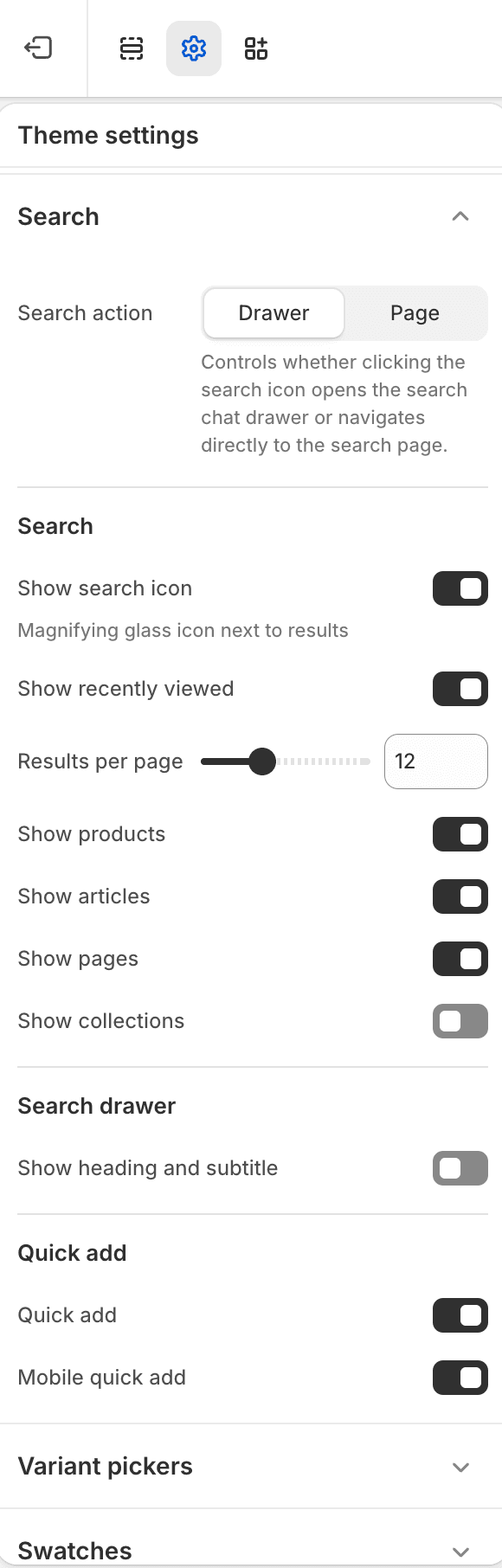
Key Settings
| Setting | Use it for |
|---|---|
| Search action mode | Choose whether the header search opens a drawer or navigates to the search page. |
| Show search icon | Display an icon next to search results. |
| Show recently viewed | Show recently viewed products in search where available. |
| Results per page | Set result count per page. |
| Resource toggles | Enable products, articles, pages, and collections independently. |
| Search drawer text | Show the drawer heading/subtitle and set drawer heading style and subtitle size when search opens in a drawer. |
| Quick add | Enable quick add for search result product cards, including the mobile quick-add toggle. |
Search Grid Notes
Search page mode is not a Theme setting. It belongs to the Search page section on the /search template. Use that section setting to switch the page between Search and Search grid mode.
Search grid mode works best when product data is prepared for storefront filters. Review availability, price, product type, vendor, product options, and metafield-backed filters before launch.
Language and result-count readability
1.8.0 improves localized Search Chat replies, counts, suggestions and help queries. It uses the selected storefront language; merchant-authored result titles and policy excerpts still need Shopify translations. See Search Chat language and behavior.
In Search grid mode, version 1.8.0 keeps the result summary readable when custom foreground and background colors provide insufficient contrast. It adjusts that label’s displayed foreground without changing your saved color settings. This safeguard applies to the summary label, so also check result cards, filters, input fields and other text against their backgrounds. See Latest updates for release details.