Footer
The global site footer that appears at the bottom of every page. Supports a wide range of blocks including menus, email signup, social links, payment icons, and more.
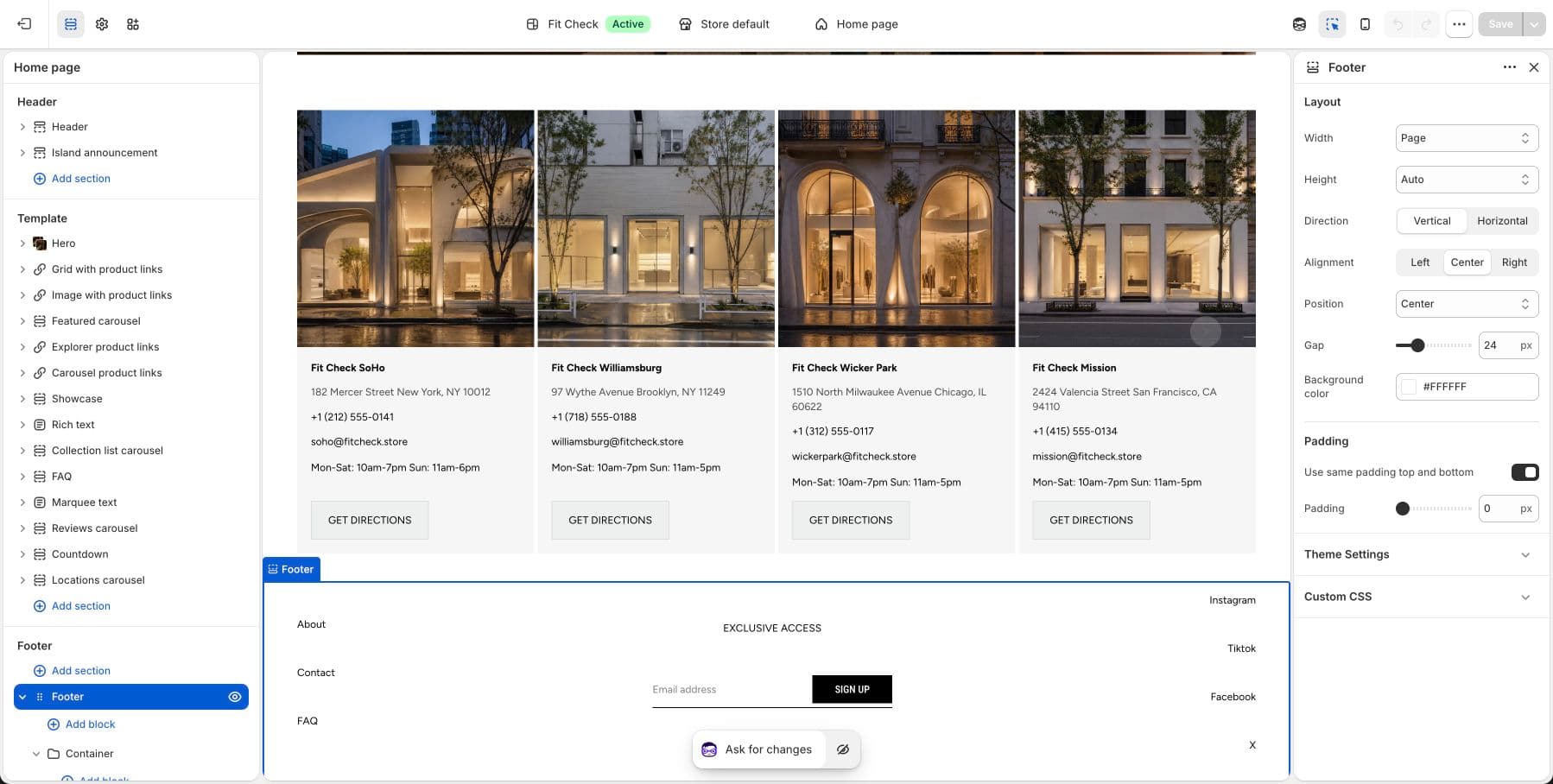
Configure the Section
The footer is a global section. To customize it:
- In the theme editor, scroll down to the Footer section in the left sidebar.
Section Settings
| Setting | Description |
|---|---|
| Section width | Page width, Full width, or Custom (60–100%). Default: Page width. |
| Section height | Auto, Full screen, or Custom. Default: Auto. |
| Content direction | Column (stacked) or Row (side by side). Default: Row. |
| Stack on mobile | Collapse row layout on mobile. Default: On. |
| Horizontal alignment | Start, Center, End, or Space between. Default: Center. |
| Vertical alignment | Start, Center, or End. Default: Center. |
| Content gap | Spacing between footer blocks. Range: 0–100px. Default: 12px. |
| Footer colors | Set footer background, text, and border colors. |
| Padding | Use one all-sides value or set top, bottom, left, and right independently. Range: 0–100px. |
Blocks
| Block | Description |
|---|---|
| Menu | A navigation menu with links. Assign any menu from your Shopify Navigation settings. |
| Email signup | Newsletter subscription form. |
| Social links | Icons and/or text links to your social media profiles. Supports Instagram, Facebook, X (Twitter), TikTok, YouTube, Pinterest, Snapchat, and LinkedIn. Display as icons only, text only, or both. |
| Follow on Shop | Shopify’s native Follow on Shop button for the Shop app. |
| Payment icons | Display accepted payment method icons. |
| Footer bottom | Copyright text and bottom-row content. |
| Text | Custom text content. |
| Button | Custom link button. |
| Image | Add an image or badge. |
| Logo | Display your store logo. |
| Icon | Add a custom icon. |
| Container | Group multiple blocks together. |
| Divider | Visual separator between footer sections. |
| App blocks | Third-party app content. |
Social Links Settings
| Setting | Description |
|---|---|
| Display style | Icons only, Text only, or Icons and text. Default: Icons only. |
| Icon size | Size of social media icons. Range: 16–32px. Default: 20px. |
Social media URLs are configured in Theme settings > Social media.