Announcement Marquee
A continuously scrolling marquee bar for announcements. Creates an eye-catching ticker effect across the top of your store.
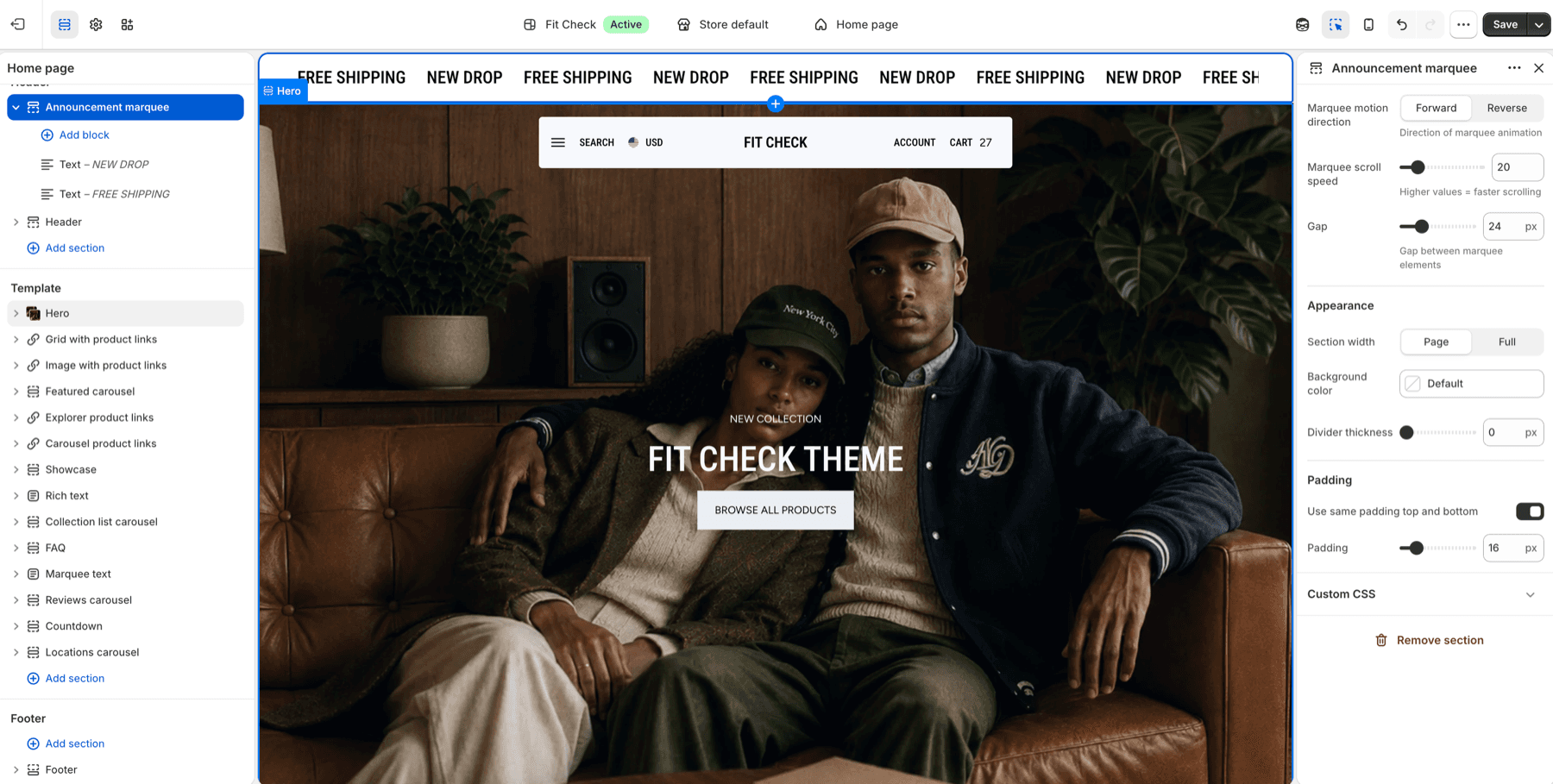
Configure the Section
- In the theme editor, click Add section in the header area.
- Select Announcement marquee.
Section Settings
| Setting | Description |
|---|---|
| Marquee motion direction | Scroll direction: Forward or Reverse. Default: Forward. |
| Marquee scroll speed | Animation speed for the marquee. Higher values scroll faster. Range: 5-100. Default: 20. |
| Gap | Spacing between each marquee item. Range: 0-100px. Default: 24px. |
| Section width | Choose Page width or Full width. Default: Page width. |
| Background color | Optional custom background. Leave Default to use the theme surface. |
| Divider thickness | Bottom divider thickness. Range: 0-5px. Default: 0px. |
| Use same padding top and bottom | Keep top and bottom spacing linked. Default: On. |
| Padding | Top and bottom padding when unified. Range: 0-100px. Default: 16px. |
| Top / Bottom | Independent padding controls when unified padding is off. Range: 0-100px. Default: 16px each. |
Blocks
Text Block
Add text content to the scrolling marquee.
Icon Block
Add an icon that scrolls alongside text content.
Logo Block
Display a small image or brand mark in the marquee.
Divider Block
Add a divider between repeated marquee items when you want stronger visual separation.