Search grid mode
Search grid mode is the traditional product-results option inside the Search page section. It displays product results in a responsive grid with configurable columns, filtering, sorting, and product-card blocks.
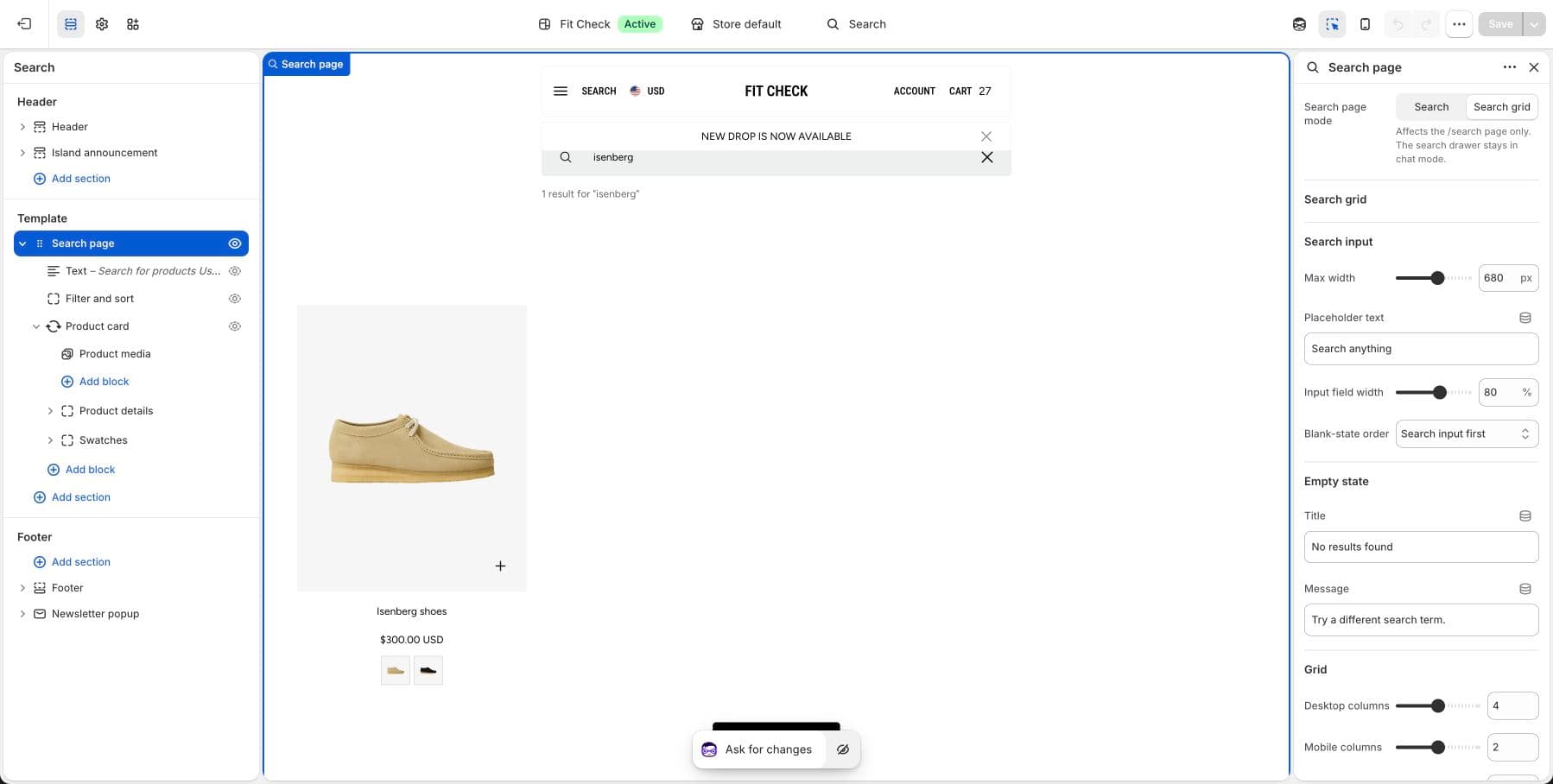
Configure the Section
This section is used on the Search template. It is already included by default.
- Navigate to the Search page in the theme editor.
- Click the Search page section to configure it.
- Set Search page mode to Search grid when you want the grid experience on
/search.
The search drawer keeps the chat-style predictive interface. Search grid mode only affects the search page itself.
Section Settings
Search Input
| Setting | Description |
|---|---|
| Max width | Maximum width of the search input container. Range: 400–900px. Default: 680px. |
| Placeholder text | Text shown in the empty search field. Default: “Search products”. |
| Input field width | Width of the input relative to the container. Range: 50–100%. Default: 100%. |
| Header order | Input first or Text first — controls whether the search field or empty-state text appears first. Default: Input first. |
Empty State
| Setting | Description |
|---|---|
| Title | Heading shown when no results are found. Default: “No products found”. |
| Message | Supporting text for empty results. Default: “Use fewer filters or clear all”. |
Grid
| Setting | Description |
|---|---|
| Desktop columns | Columns on desktop. Range: 2–6. Default: 4. |
| Mobile columns | Columns on mobile. Range: 1–3. Default: 2. |
| Products per page | Results per page (multiples of 12). Range: 12–48. Default: 24. |
| Gap | Spacing between grid items. Range: 0–50px. Default: 16px. |
| Different gaps | Use separate column and row gap values. Default: Off. |
| Column gap | Horizontal spacing (when different gaps enabled). Range: 0–50px. Default: 16px. |
| Row gap | Vertical spacing (when different gaps enabled). Range: 0–50px. Default: 16px. |
Layout
| Setting | Description |
|---|---|
| Grid width | Centered (page-width container) or Full width. Default: Centered. |
| Edge to edge on mobile | Remove side padding on mobile for full-width cards. Default: On. |
| Left padding | Left-side padding. Range: 0–100px. Default: 0. |
| Right padding | Right-side padding. Range: 0–100px. Default: 0. |
| Background color | Set the section background or leave blank to inherit the global page background. |
| Padding | Top and bottom padding with unified or separate controls. Range: 0–100px. Default: 48px. |
Blocks
Search grid can include filter blocks, product-card blocks, and search-grid text blocks. Use these blocks to control filter presentation, card media/title/price/swatches/quick-add behavior, and the supporting text shown above or near results.