Header
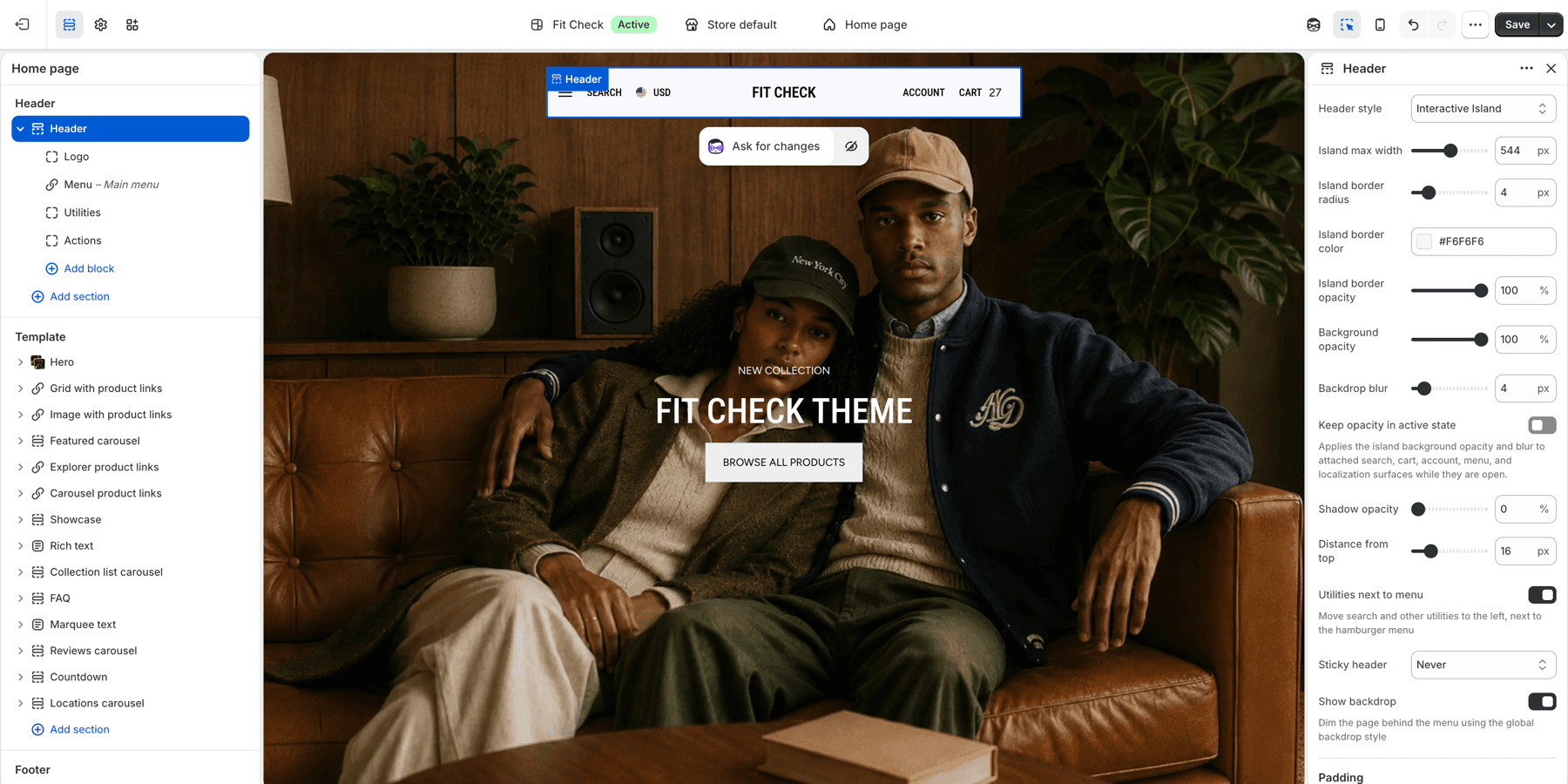
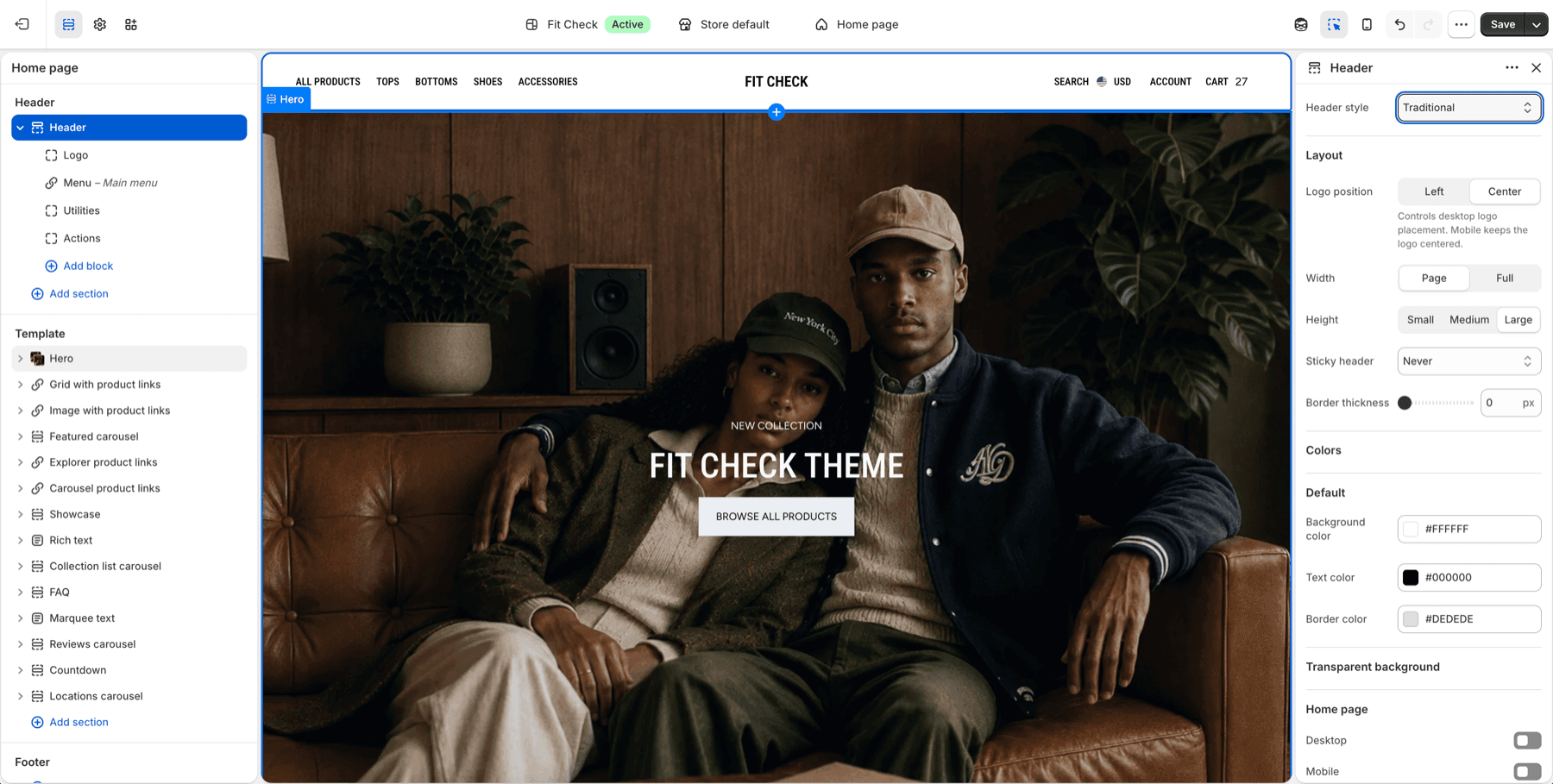
The site header provides navigation, search, account access, and cart functionality. Fit Check offers two header styles: a modern floating bar (interactive island) and a classic traditional layout.
Configure the Section
The header is a global section that appears on all pages. To customize it:
- In the theme editor, click the Header section in the left sidebar.
- Choose the header styleUse Interactive island for the floating bar header or Traditional for a classic full-width header.
- Assign navigationUse Shopify navigation menus for primary links and nested menus.
- Review utilitiesConfirm search, cart, account, country, and language controls appear where customers expect them.
- Add announcement if neededUse Island announcement for short messages below the floating header.
Step-by-Step Setup
- In the theme editor, open the Header section from the left sidebar.
- Choose Header style: Interactive island for the floating bar header or Traditional for a full-width header.
- Assign the main menu from Shopify navigation.
- Upload the default and inverse logo in Theme settings > Global Settings.
- Review search, cart, account, country, and language controls.
- If using Interactive island mode, add Island announcement only when a short global message is needed.
- Preview the home page, product page, search page, cart, and a collection page before publishing.
Header Workflow Checks
| Workflow | What to test |
|---|---|
| Navigation | Open top-level and nested menu links on desktop and mobile. |
| Search | Trigger search from the header and confirm drawer/page behavior matches Theme settings > Search. |
| Cart | Add an item to cart, then open the cart icon from the header. |
| Account | Confirm account links are visible only where expected for the store setup. |
| Localization | Open country/language selectors and confirm the panel or drawer remains readable. |
| Transparent states | Review home page contrast when transparent header settings are enabled. |
Section Settings
General
| Setting | Description |
|---|---|
| Header style | Choose Interactive island (floating bar) or Traditional (classic full-width). Default: Interactive island. |
Traditional Mode Settings
| Setting | Description |
|---|---|
| Logo position | Left or Center. Default: Center. |
| Section width | Page width or Full width. Default: Page width. |
| Section height | Small, Medium, or Large. Default: Medium. |
| Sticky header | Always, On scroll up, or Never. Default: Never. |
| Border width | Bottom border thickness. Range: 0–5px. Default: 0. |
| Transparent header (home) | Enable transparent header on the homepage. Default: Off. |
| Header colors | Background, text, border, and transparent text colors for the header. |
Interactive Island Mode Settings
| Setting | Description |
|---|---|
| Max width | Maximum width of the floating bar. Range: 360–720px. Default: 544px. |
| Border radius | Corner rounding of the bar. Range: 0–24px. Default: 4px. |
| Border color | Bar border color. Default: #F5F5F5. |
| Background opacity | Bar background transparency. Range: 0–100%. Default: 90%. |
| Backdrop blur | Glass-effect blur behind the bar. Range: 0–40px. Default: 4px. |
| Shadow opacity | Drop shadow intensity. Range: 0–60%. Default: 0%. |
| Vertical offset | Distance from the top of the page. Range: 8–48px. Default: 16px. |
| Utilities next to menu | Move search and utility icons to the left side, next to the menu. Default: On. |
| Sticky behavior | Always, On scroll up, or Never. Default: Never. |
| Show backdrop | Display a dimmed overlay behind the menu when open. Default: Off. |
| Padding | Inner padding with unified or separate top/bottom/left/right controls. Range: 0–16px. Default: 4px. |
| Use inverse logo | Show the inverse logo when using dark header colors. Default: Off. |
Interactive Island Transparent Mode (Mobile)
| Setting | Description |
|---|---|
| Transparent on mobile home page | Enable transparent bar on the mobile homepage. Default: Off. |
| Transparent text color | Set the text color used while the mobile bar is transparent, or leave blank for the default. |
| Inverse logo | Use the inverse logo while the transparent mobile bar is active. |
Colors
| Setting | Description |
|---|---|
| Header colors | Background, text, border, and surface border colors for the header. |
Island Announcement
When using Interactive island mode, you can add an Island announcement section to display dismissible messages below the floating header bar. On desktop, it appears as a pill-shaped bar matching the island style. On mobile, it spans full width.
To add it, click Add section in the header group and select Island announcement.
Section Settings
| Setting | Description |
|---|---|
| Transition speed | Time between announcement slides. Range: 2–10s. Default: 5s. |
| Sticky behavior | Follow header (mirrors header sticky setting) or Disappears on scroll (hides on any scroll). Default: Follow header. |
| Show dismiss button | Allow visitors to dismiss the bar. Persists for the session. Default: On. |
| Dismiss button size | Size of the dismiss icon. Range: 10–48px. Default: 12px. |
| Dismiss button color | Color of the dismiss icon. Default: #666666. |
Appearance
| Setting | Description |
|---|---|
| Announcement colors | Background, text, border, and related direct color controls for the announcement bar. |
| Background opacity | Bar background transparency. Range: 0–100%. Default: 90%. |
| Backdrop blur | Glass-effect blur behind the bar. Range: 0–40px. Default: 4px. |
| Gap | Spacing between the header island and the announcement bar. Range: 0–16px. Default: 6px. |
| Border color | Bar border color. Default: #F5F5F5. |
| Border opacity | Border transparency. Range: 0–100%. Default: 100%. |
Padding
| Setting | Description |
|---|---|
| Unified padding | Use the same value for top and bottom. Default: On. |
| Padding | Top and bottom padding (when unified). Range: 0–100px. Default: 8px. |
| Top / Bottom | Independent top and bottom padding (when not unified). Range: 0–100px. Default: 8px each. |
Blocks
Add Announcement blocks with text content and optional links. When multiple blocks are added, they auto-rotate based on the transition speed.
Blocks
The header supports app blocks for integrating third-party apps directly into the header area. Internal blocks (logo, menu, utilities) are automatically included based on the header style.
Localization
The header includes built-in country/language selectors that appear as a localization panel. In Interactive island mode, the localization panel slides open inline. In Traditional mode, it opens as a drawer from the side.
Shared Drawer Styling
Search, cart, menu, localization, and account surfaces inherit the global drawer and backdrop controls from Theme settings > Drawers and Theme settings > Backdrop. Use those settings when you want all overlay surfaces to share border, shadow, opacity, blur, padding, and backdrop behavior.