Rich Text
A versatile text section for adding headings, paragraphs, and buttons. Use it for brand stories, feature descriptions, policy text, or any content that needs a clean text layout.
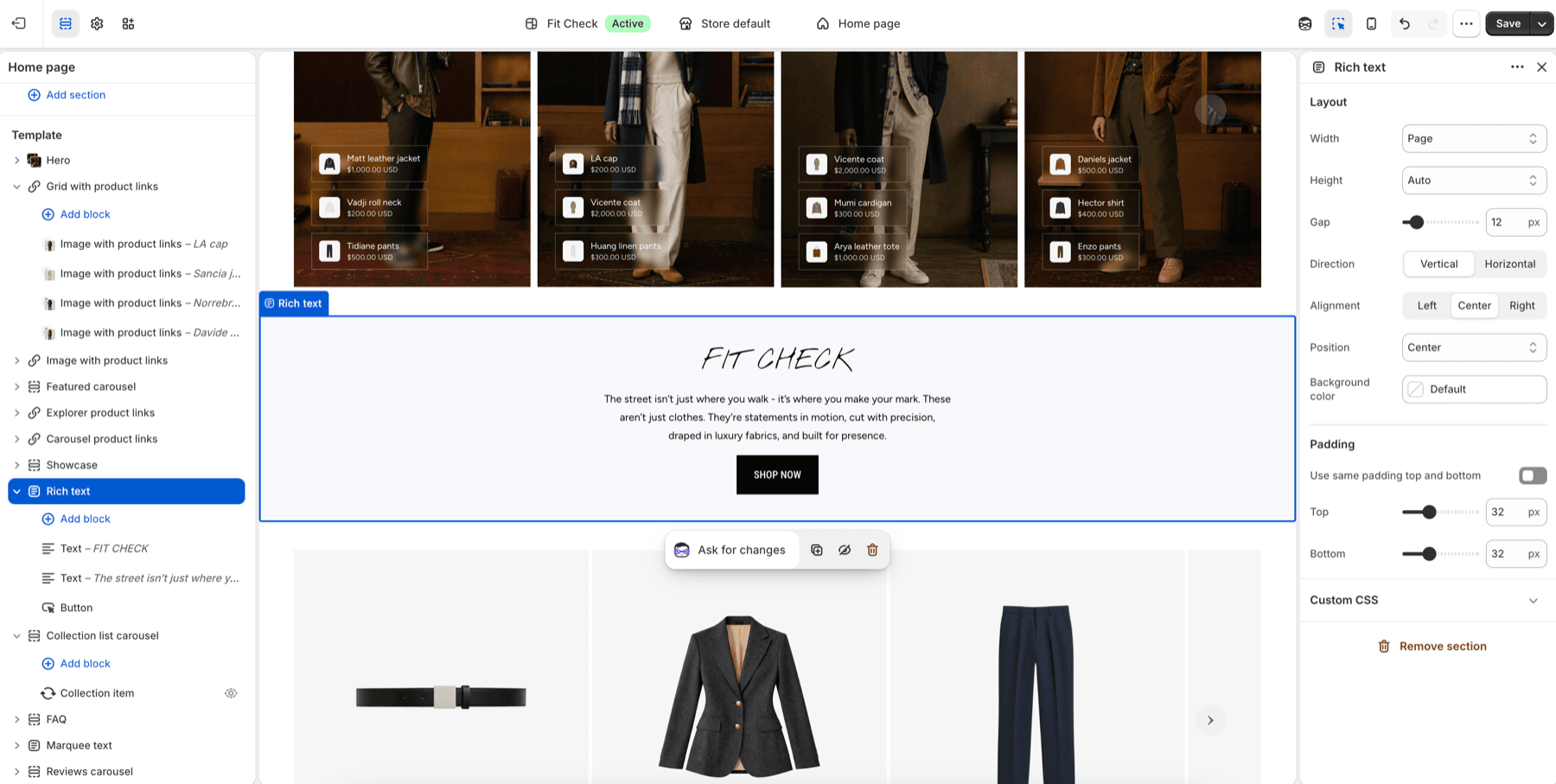
Configure the Section
- In the theme editor, click Add section.
- Select Rich text.
- Add text and button blocks.
Section Settings
| Setting | Description |
|---|---|
| Width | Page or Full. Default: Page. |
| Height | Auto, Full screen, or Custom. Default: Auto. |
| Gap | Spacing between text and button blocks. Range: 0-100px. |
| Direction | Vertical or Horizontal. Default: Vertical. |
| Alignment | Align the section content left, center, or right. |
| Position | Place content at the top, center, or bottom when height creates extra space. |
| Background color | Optional section background override. |
| Padding | Use one all-sides value or set top, bottom, left, and right independently. |
Blocks
Add theme blocks (text headings, body paragraphs, buttons) to compose the content.