Add an inline email signup section to a page. Use it for newsletter signup areas, exclusive-access prompts, or simple campaign signup blocks that should live in the page flow instead of a popup.
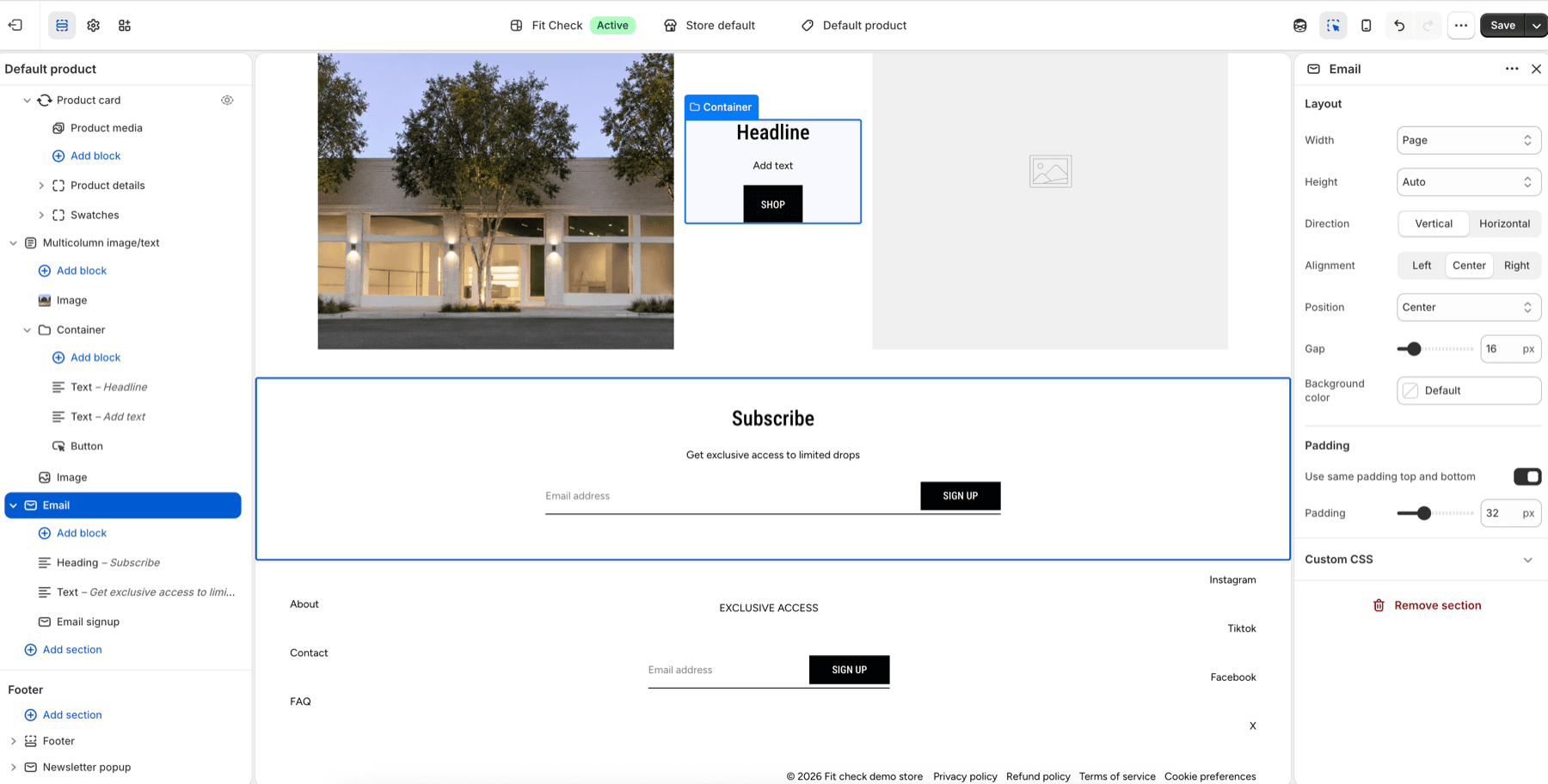
Configure the Section
- In the theme editor, click Add section.
- Select Email from the Forms category.
- Edit the heading, supporting text, and Email signup block content.
Section Settings
Layout
| Setting | Description |
|---|---|
| Width | Page, Full screen, or Custom width. Default: Page. |
| Height | Auto, Full screen, or Custom. Default: Auto. |
| Direction | Vertical or Horizontal. Default preset: Vertical. |
| Vertical on mobile | Collapse horizontal layouts to vertical on mobile. Default: On. |
| Alignment | Left, Center, Right, or Space between depending on direction. Default: Center. |
| Position | Top, Center, Bottom, or Space between depending on direction. Default: Center. |
| Gap | Spacing between content blocks. Range: 0-100px. Default preset: 16px. |
| Background color | Optional section background color. Leave Default to use the theme surface. |
Padding
| Setting | Description |
|---|---|
| Use same padding on all sides | Use one padding value for all four sides. Default: On. |
| Padding | Unified padding for all four sides. Range: 0-100px. Default: 32px. |
| Top / Bottom / Left / Right | Separate directional padding controls when unified padding is off. |
Blocks
| Block | Description |
|---|---|
| Text | Add the heading or supporting copy. |
| Email signup | Add the email input and submit button. |
| Divider | Add a visual separator between content areas. |
| App block | Add compatible app-provided content. |