FAQ
Use the FAQ section for expandable questions and answers. Combine existing Container, Text, Button, Image, and Accordion blocks to place an introduction beside the questions or stack everything vertically.
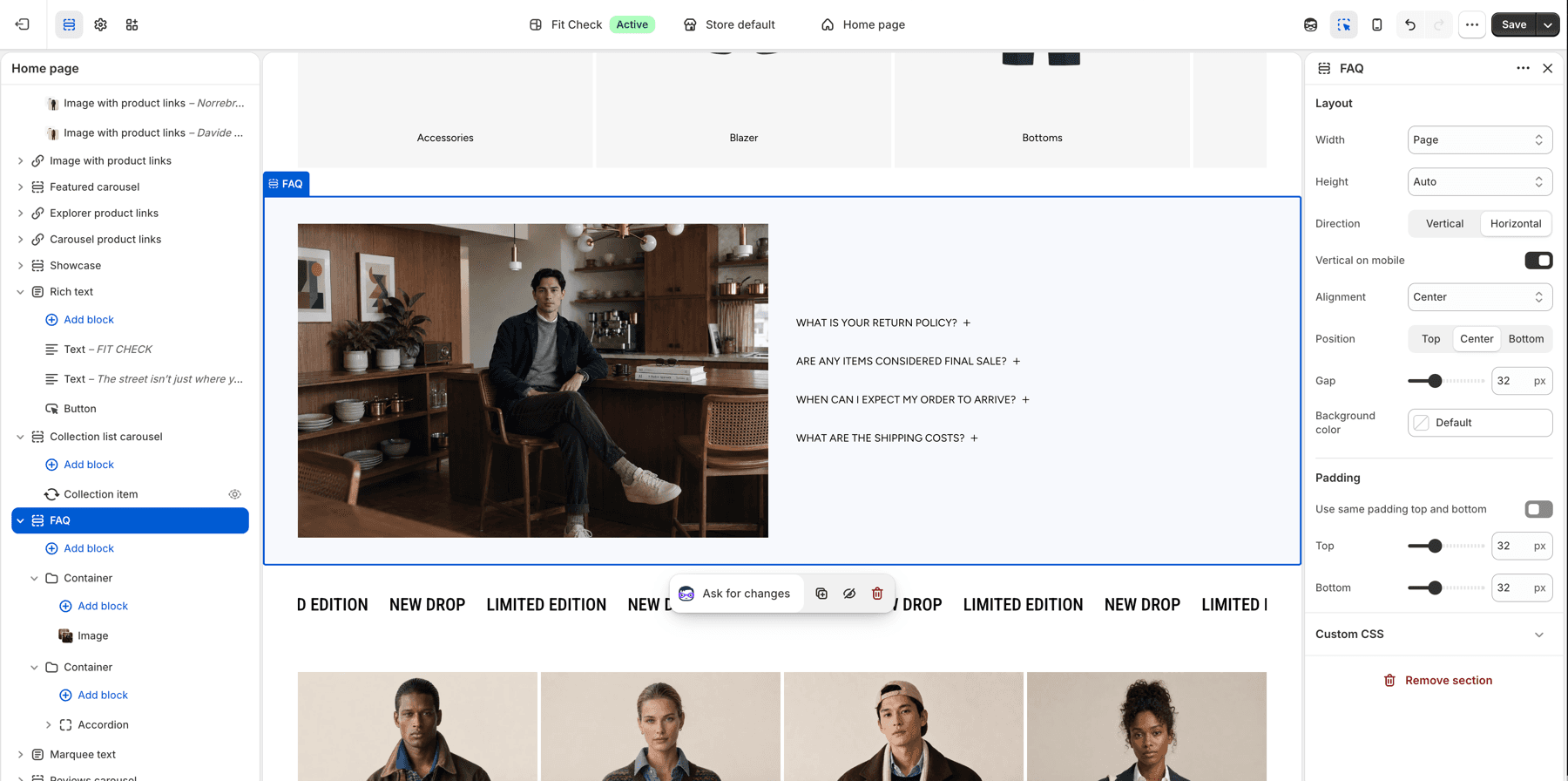
Configure the Section
- In the theme editor, open the page template you want to edit and click Add section.
- Select FAQ, or FAQ – numbered if that preset is available in your installed theme version.
- Expand the Accordion block, then select an Accordion row to edit its question. Edit the Text block inside the row to change its answer.
- Add, remove, or reorder rows inside the Accordion. Replace the sample questions and answers with your own content.
- Review the desktop and mobile previews, then save.
Numbered Layout
FAQ – numbered is an optional preset with an introduction on the left and numbered questions on the right. On mobile, the introduction stacks above the questions. It uses the same reusable blocks as the standard FAQ.
Availability depends on the installed theme version. If FAQ – numbered or Numbered rows is absent, the standard FAQ remains available; check the release notes for your version before updating.
- Edit the two Text blocks in the first Container to change the small introduction and main heading.
- Edit the Button label and choose its destination for the more-answers link. The preset does not choose a destination for you.
- Select your own Image, or remove the Image block when you do not need one. The preset does not include a photograph.
- Select the Accordion in the second Container to change question typography, numbering, separators, or toggle icons.
The numbered preset enables Numbered rows, Dividers, the Caret icon, and Place icon at end. Existing FAQ sections keep their saved settings. You can also enable Numbered rows on an existing Accordion when the option is available.
Numbers follow the row order automatically and start again in each Accordion. You do not need to type numbers into question headings. Turn off Dividers to remove the dashed separators while keeping the numbers.
Section Settings
| Setting | Description |
|---|---|
| Width | Choose Page, Full screen, or Custom. Custom width applies on desktop; mobile uses the available screen width. |
| Height | Choose Auto, Full screen, or Custom. With Custom, choose a height preset or a custom value. Auto lets the section follow its content. |
| Direction | Use Horizontal for side-by-side content or Vertical for a stack. |
| Vertical on mobile | Stack a horizontal layout on mobile. Enabled in both FAQ presets. |
| Alignment and Position | Place the content along the selected layout direction. Available controls depend on that direction. |
| Gap | Set spacing between the section’s top-level blocks, from 0–100px. Use each Container’s Gap to adjust its own contents. |
| Background color | Set an optional section background override. |
| Padding | Use one all-sides value or set top, bottom, left, and right independently. |
Blocks and Questions
| Block | What to edit |
|---|---|
| Container | Group the introduction or questions; control their layout, width, height, spacing, and appearance. |
| Text | Edit the introduction, heading, or an answer inside a row. |
| Button | Set the more-answers label, link, and appearance. |
| Image | Choose desktop/mobile images and adjust their ratio and size. |
| Accordion | Control the group of expandable rows, including numbering, dividers, typography, colors, and open behavior. |
| Accordion row | Edit one question, its initial open state, and an optional leading icon or image. Add answer content inside the row. |
An Accordion holds multiple rows. To allow customers to leave several answers open, turn off Automatically close other rows when one opens. Use each row’s Open by default setting for its initial state; when automatic closing is enabled, choose at most one initial open row.
In versions with the updated editor behavior, selecting a row or its answer reveals that answer in the preview. This editing convenience does not change Open by default. Check the ordinary storefront preview to confirm the saved initial state.
For all Accordion controls, see Accordion and Tabs blocks. For responsive group sizing, see Container.
Before Publishing
Check that questions wrap cleanly on mobile, links have destinations, selected images display correctly, and answers remain readable when expanded. Use Tab to reach a question and Enter or Space to open and close it. Give every question a clear heading and replace sample answers with accurate information about your store.
SEO
The FAQ section generates FAQPage structured data from its questions and answers. Structured data does not guarantee a particular search-result appearance.