Custom Liquid
Add custom Liquid code to any page. This section renders your Liquid markup within the theme’s layout, giving you access to the full Shopify Liquid API.
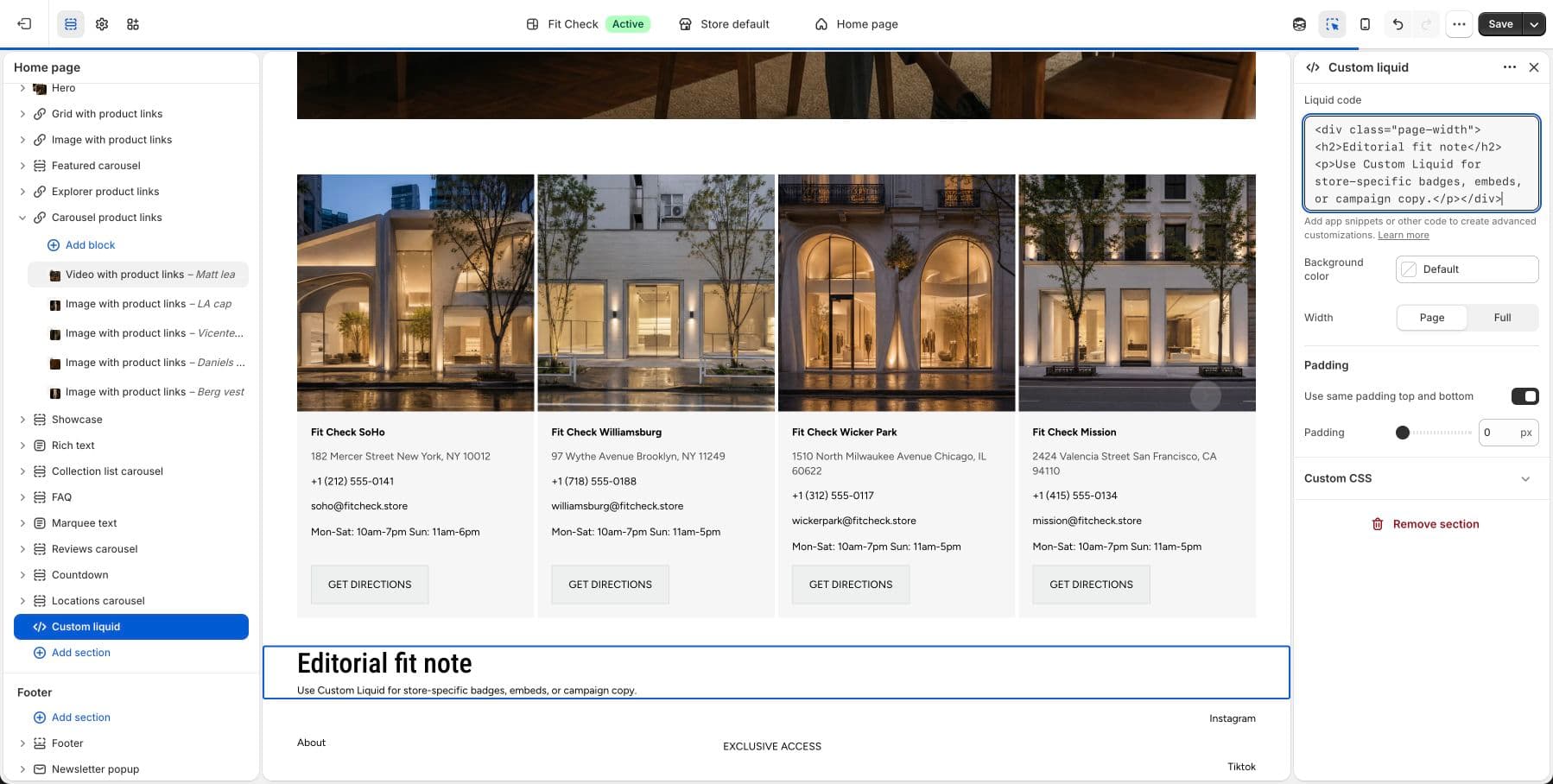
Configure the Section
- In the theme editor, click Add section.
- Select Custom Liquid.
- Enter your Liquid code in the text area.
Section Settings
| Setting | Description |
|---|---|
| Custom Liquid | A text area where you enter your Liquid code. Supports all Shopify Liquid objects, tags, and filters. |
| Background color | Set the section background or leave blank to inherit the global page background. |
| Section width | Page width or Full width. Default: Page width. |
| Padding | Use one all-sides value or set top, bottom, left, and right independently. Range: 0–100px. |
Usage Tips
- Use this section to embed third-party widgets, custom HTML, or advanced Liquid logic.
- You have access to all Shopify Liquid objects (
product,collection,cart, etc.) depending on the page context. - Test your code in preview mode before publishing to ensure it renders correctly.