Grid with Product Links
A signature lookbook-style gallery section for showcasing styled outfits, lifestyle imagery, or product collections in a visual grid. This section is covered in the consolidated Product Links guide alongside Carousel, Video, Explorer, and reusable Image/Video product-link blocks.
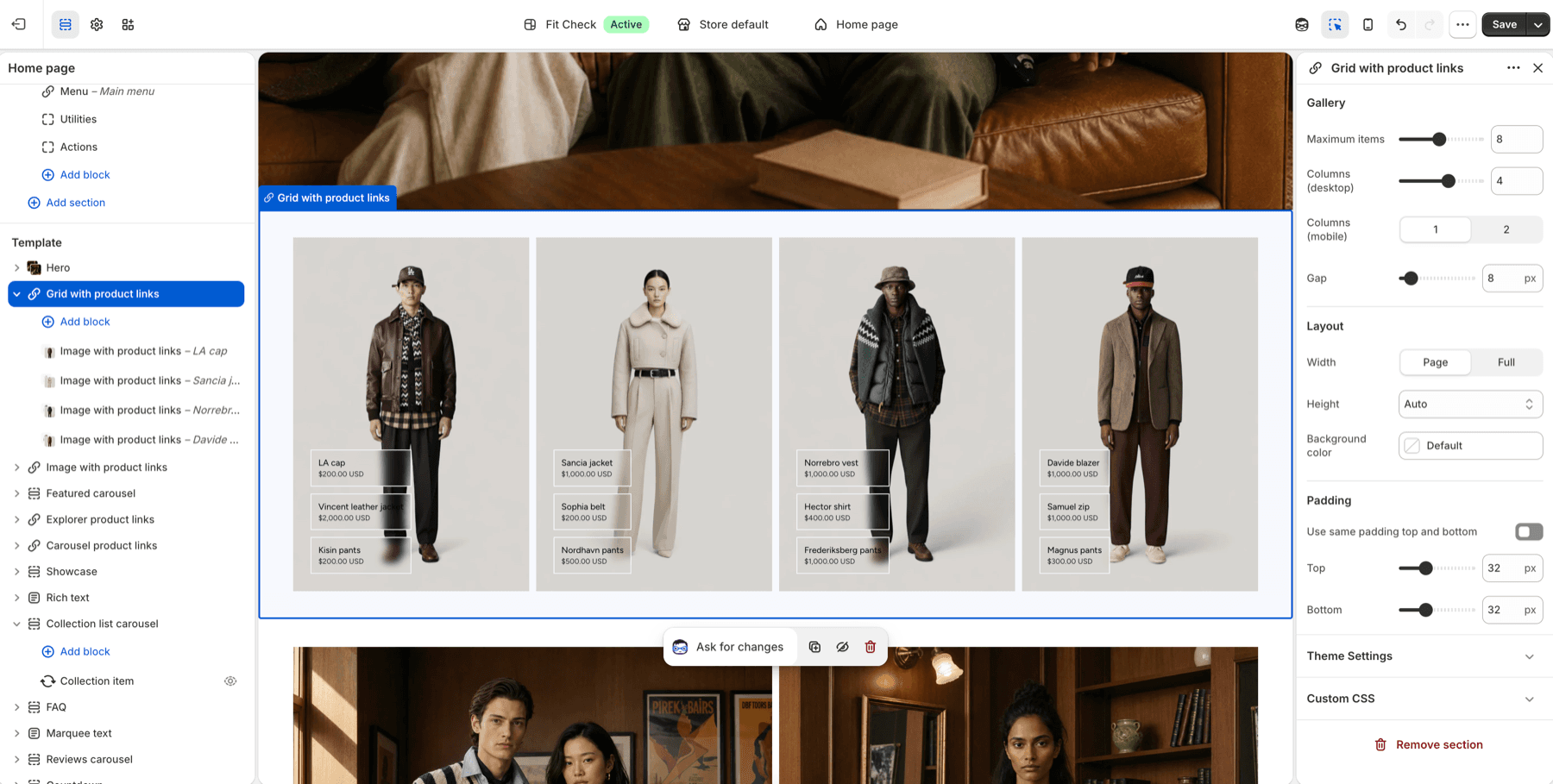
Configure the Section
- In the theme editor, click Add section.
- Select Grid with product links from the General category.
- Add image or video blocks to build the gallery.
Section Settings
| Setting | Description |
|---|---|
| Max items | Maximum number of gallery items to display. |
| Desktop columns | Number of grid columns on desktop. |
| Mobile columns | Number of grid columns on mobile. |
| Gap | Spacing between gallery items. |
| Section width | Page width or Full width. Default: Page width. |
| Section height | Auto, Full screen, or Custom. |
| Vertical alignment | Start, Center, or End. Default: Center. |
| Background color | Set the section background or leave blank to inherit the global page background. |
| Padding | Use one all-sides value or set top, bottom, left, and right independently. Range: 0–100px. |
Blocks
Image with Product Links
Upload a lifestyle or product image with interactive hotspot markers linking to products.
Video with Product Links
Add a video with product link overlays for a dynamic lookbook experience.
Tips
- Use high-quality lifestyle photography for the best visual impact.
- Add 4–8 images for a balanced gallery layout.
- Each image can link to multiple products, making this ideal for “shop the look” experiences.