Color palette
Open Theme settings → Colors. Choose the palette first. Global color settings that use a palette role update when you change that role. A field set to a custom color keeps that override.
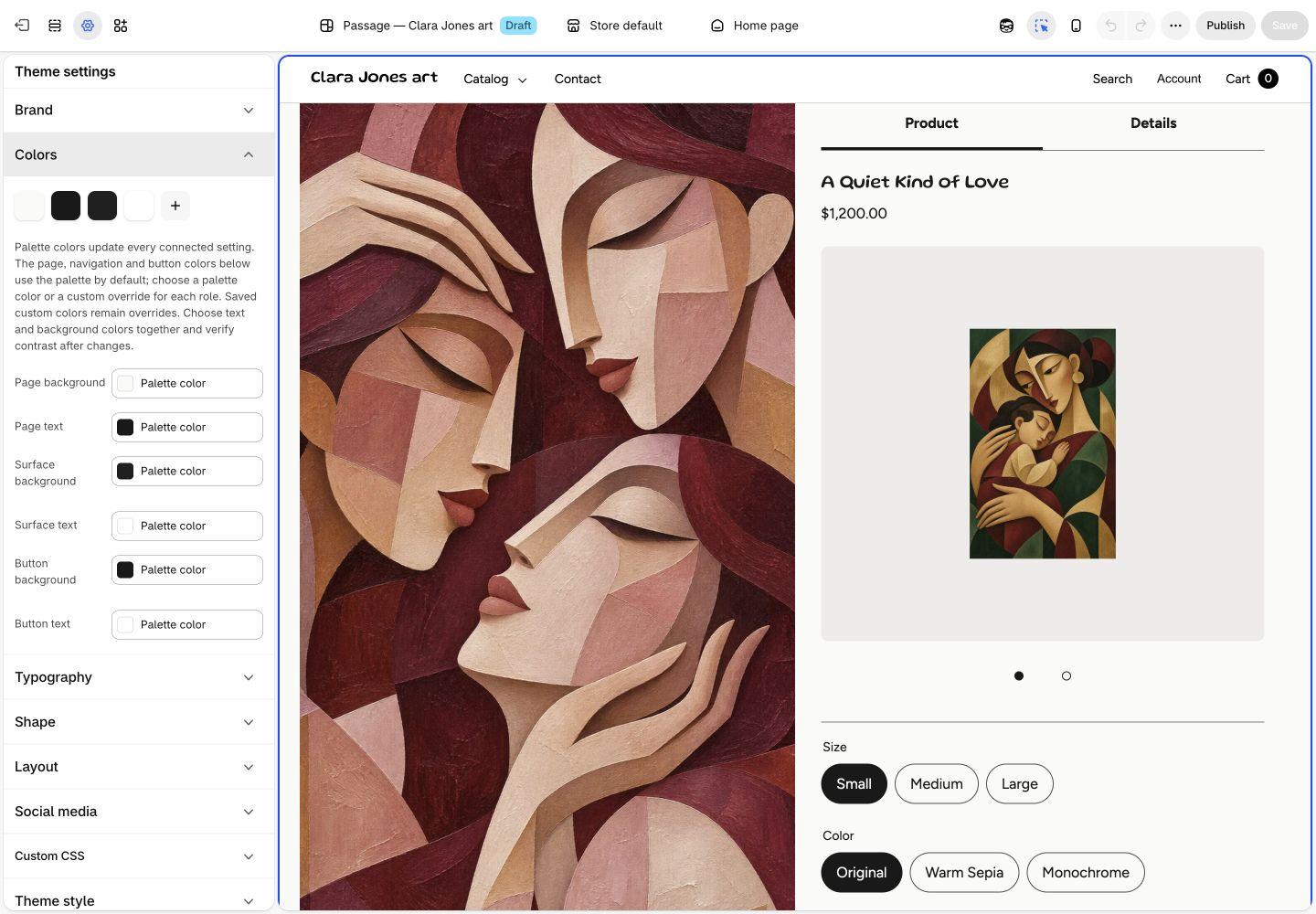
| Pair | Check it on |
|---|---|
| Page background and Page text | Normal page content, collection titles and product descriptions. |
| Surface background and Surface text | Cards, panels and other areas that inherit the surface roles. |
| Button background and Button text | Main actions, including focus and enabled states. |
Check local overrides
Preview Header with a menu open, Hero Book on the cover and on paper, and Product with a buy button. If one area needs different colors, use that section’s paired overrides. For an image backdrop, adjust the applicable text color and overlay against the actual crop at both widths.