Gallery chapter
Use image blocks to curate a two-page gallery.
Available in Hero Book.
Set up the block
Open First page and Second page to add Gallery image blocks. Preview the image proportions and reading order.
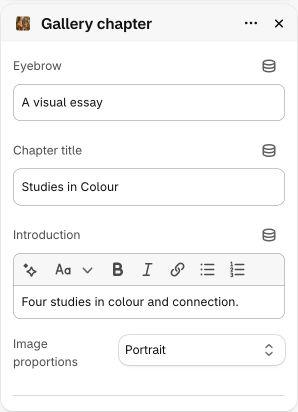
Blocks you can add
Settings overview
| Setting | Description | Options |
|---|---|---|
| Eyebrow | Adds a short line above the title. | Plain text. |
| Chapter title | Sets the title shown in chapter navigation and where the chapter layout displays it. | Plain text. |
| Introduction | Sets the main formatted copy. | Formatted text. |
| Image proportions | Sets how gallery images are proportioned on the page. | Portrait, Square, Landscape. |
Navigation
| Setting | Description | Options |
|---|---|---|
| Chapter navigation image | Sets the thumbnail in the chapter navigator and Contents. | Shopify image picker. |