Newsletter
Collect newsletter signups with Shopify’s customer form.
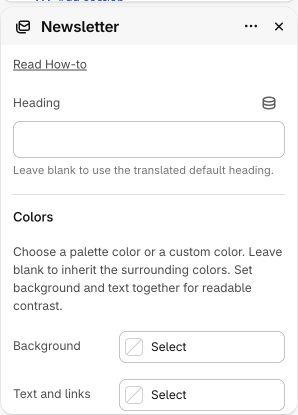
How to customize
Add Newsletter, set its heading and choose readable form and button colors. Test validation and the success message on the actual storefront. Configure a sending service separately if you run email campaigns.
Settings overview
General
| Setting | Description | Options |
|---|---|---|
| Heading | The visible heading for this section. | Plain text. |
Colors
| Setting | Description | Options |
|---|---|---|
| Background | Sets the section background. Leave blank to use its inherited color. | Palette color or custom color. |
| Text and links | Styles the section’s text and links. Check it against the background. | Palette color or custom color. |
| Button background | Sets the action button fill where this section displays a button. | Palette color or custom color. |
| Button text | Sets the button label color. Choose a color that reads clearly on the button fill. | Palette color or custom color. |