Image chapter
Build a spread around a full-page image.
Available in Hero Book.
Set up the block
Choose the full-page image and the chapter artwork where you want two different images. Check their crops in the mobile reader.
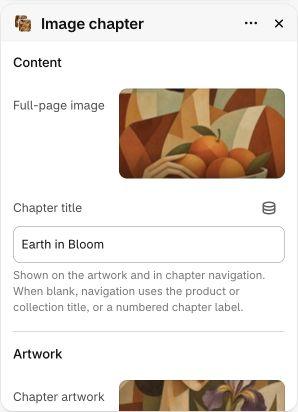
Settings overview
Content
| Setting | Description | Options |
|---|---|---|
| Full-page image | Sets the image for the full image page or facing review page. | Shopify image picker. |
| Chapter title | Sets the title shown with this content. Shown on the artwork and in chapter navigation. When blank, navigation uses the product or collection title, or a numbered chapter label. | Plain text. |
Artwork
| Setting | Description | Options |
|---|---|---|
| Chapter artwork | Selects the chapter artwork placed on its artwork page. | Shopify image picker. |
Navigation
| Setting | Description | Options |
|---|---|---|
| Chapter navigation image | Sets the thumbnail in the chapter navigator and Contents. | Shopify image picker. |