Rich text
Use a text section for a brand story, call to action or transition between image-led sections.
How to customize
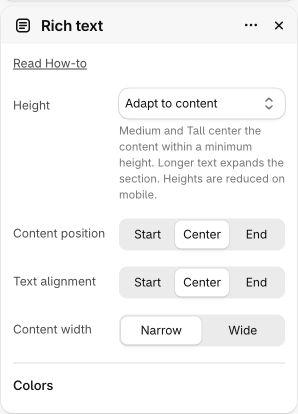
Add Rich text. Choose the frame’s height and width, then set where the group sits and how the copy aligns inside it. Add Heading, Text and Button blocks as needed. In the blocks, set the font, size or pair of colors where the inherited style needs an override.
Blocks
Settings overview
General
| Setting | Description | Options |
|---|---|---|
| Height | Choose Adapt to content for a flexible section or use Medium or Tall for more space. | Adapt to content, Medium, Tall. |
| Content position | Places the whole text group at the start, center or end. | Start, Center, End. |
| Text alignment | Aligns the text and buttons inside the content group. | Start, Center, End. |
| Content width | Chooses the width of the text group. | Narrow, Wide. |
Colors
| Setting | Description | Options |
|---|---|---|
| Background | Sets the section background. Leave blank to use its inherited color. | Palette color or custom color. |