Collection list
Show linked collection cards on the Collections list template.
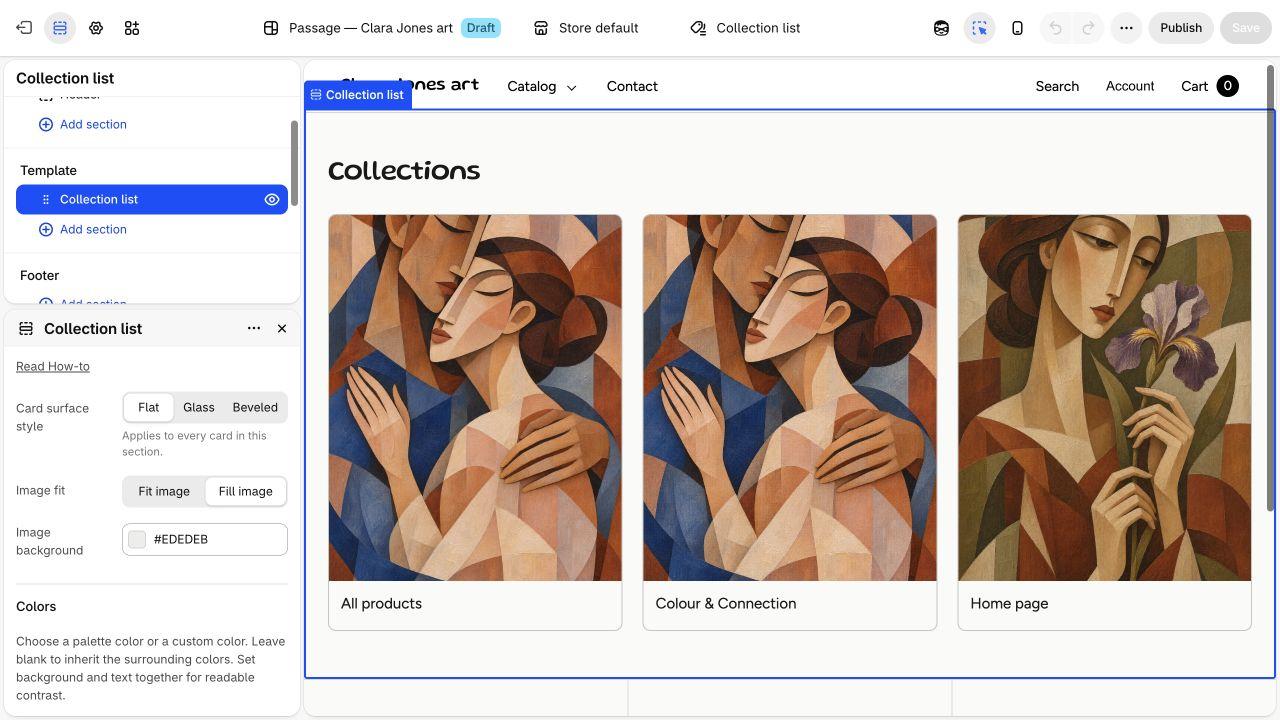
How to customize
Choose Collections list in the template picker. Set the card finish and image fit, then check collections with wide, tall and missing images. Click each collection to confirm the destination.
Settings overview
General
| Setting | Description | Options |
|---|---|---|
| Card surface style | Sets the finish used on the section’s cards. | Flat, Glass, Beveled. |
| Image fit | Fit image preserves the full image. Fill image fills the card and may crop it. | Fit image, Fill image. |
| Image background | Sets the surface behind the image, including the area around a fitted image. | Palette color or custom color. |
Colors
| Setting | Description | Options |
|---|---|---|
| Background | Sets the section background. Leave blank to use its inherited color. | Palette color or custom color. |
| Text and links | Styles the section’s text and links. Check it against the background. | Palette color or custom color. |