Contact form
Give visitors a Shopify contact form on the Contact template.
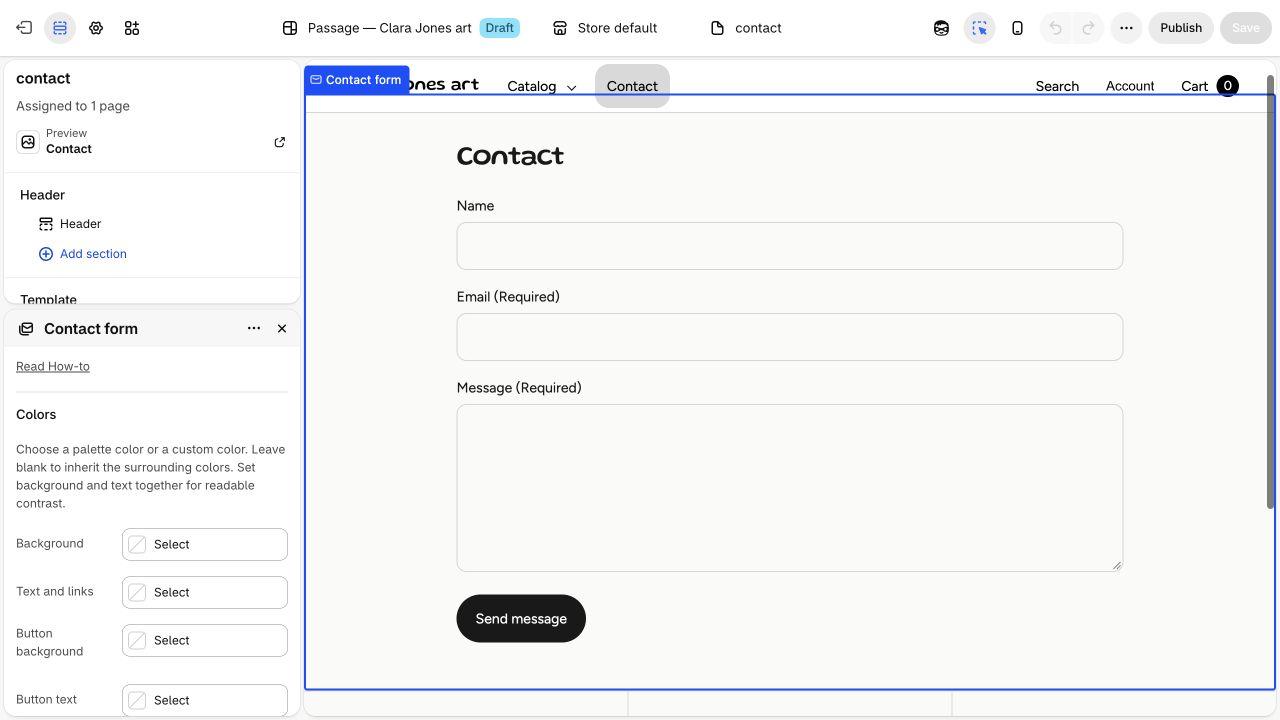
How to customize
Choose the Contact template in the editor and select Contact form. Set readable form and button colors. Verify validation with a missing required field and verify delivery in your store’s test workflow.
Settings overview
| Setting | Description | Options |
|---|---|---|
| Background | Sets the section background. Leave blank to use its inherited color. | Palette color or custom color. |
| Text and links | Styles the section’s text and links. Check it against the background. | Palette color or custom color. |
| Button background | Sets the action button fill where this section displays a button. | Palette color or custom color. |
| Button text | Sets the button label color. Choose a color that reads clearly on the button fill. | Palette color or custom color. |