Icon with text
Present short store benefits with optional supporting icons.
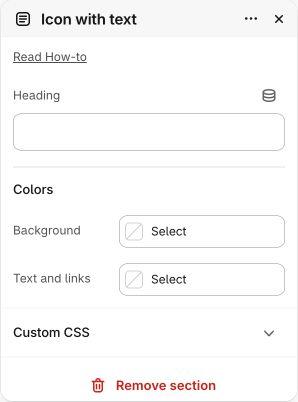
How to customize
Add Icon with text. Add one Feature per benefit. Give each block a Heading and Body text. Use the Icon picker to reinforce the message, then preview the row at mobile width.
Blocks
Settings overview
General
| Setting | Description | Options |
|---|---|---|
| Heading | The visible heading for this section. | Plain text. |
Colors
| Setting | Description | Options |
|---|---|---|
| Background | Sets the section background. Leave blank to use its inherited color. | Palette color or custom color. |
| Text and links | Styles the section’s text and links. Check it against the background. | Palette color or custom color. |