Custom Liquid
Render a merchant-authored Liquid fragment in a section.
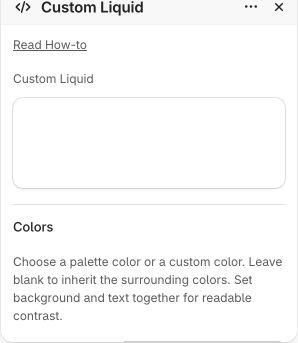
How to customize
Add Custom Liquid and enter the fragment in the Custom Liquid field. Keep the markup focused and verify it with both an available and missing resource. Check the layout and interactive elements at mobile width.
Settings overview
General
| Setting | Description | Options |
|---|---|---|
| Custom Liquid | Renders your merchant-authored Liquid or markup in this section. | Liquid or HTML. |
Colors
| Setting | Description | Options |
|---|---|---|
| Background | Sets the section background. Leave blank to use its inherited color. | Palette color or custom color. |
| Text and links | Styles the section’s text and links. Check it against the background. | Palette color or custom color. |
| Button background | Sets the action button fill where this section displays a button. | Palette color or custom color. |
| Button text | Sets the button label color. Choose a color that reads clearly on the button fill. | Palette color or custom color. |