Container
Group and arrange shared blocks as a row or stack.
Available in Custom section.
Set up the block
Add blocks inside Container and use Block spacing to separate them. Check the group with long text on mobile.
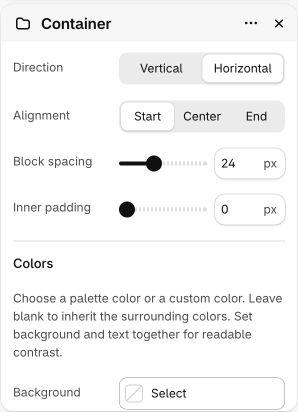
Settings overview
| Setting | Description | Options |
|---|---|---|
| Direction | Chooses whether the blocks flow across or down the container. | Vertical, Horizontal. |
| Alignment | Positions child blocks within the container. | Start, Center, End. |
| Block spacing | Sets the space between child blocks. | 0–64 px in increments of 4. Default 24 px. |
| Inner padding | Sets the space inside the edges of the container. | 0–120 px in increments of 4. Default 0 px. |
Colors
| Setting | Description | Options |
|---|---|---|
| Background | Sets the surface color for this block. | Palette or custom color. |
| Text and links | Sets the foreground color for the text and links in this block. | Palette or custom color. |