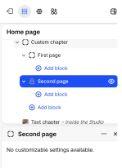
Second page in Custom chapter
Organize the blocks on the second page of a Custom chapter.
In the editor, this block is called Second page.
Available in Hero Book.
Set up the block
Add the content under Second page and check the single-page reader on mobile.
Open Custom chapter to find this block in context.
Blocks you can add
Settings overview
| Setting | Description | Options |
|---|---|---|
| No Passage settings | Arrange the child blocks in the editor. | — |